3.7
Free
TinyTask
A lightweight, powerful automation tool
View an ad to download for free

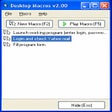
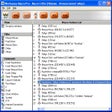
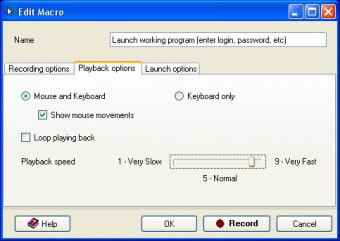
Desktop Macros is a utility that records all mouse and keyboard events such as key presses, mouse movements and clicks. The recorded macro files can subsequently be played back as many times as you wish.
Desktop Macros will record macros while you are working with any Microsoft Windows application. Each macro records sequences of keystrokes, mouse movements and mouse clicks. The sequences are stored in macro files which can be played back as many times as required. When a macro file is played back, it will simulate clicks on menu items, buttons, windows and links just as if you had entered them yourself.
With Desktop Macros you can:
EasyClicks Macros - Create macros to make your life easier, for free!
Automate repetitive work instantly!
Reliable macro program & Windows automation software
Trial version
2.07
Windows
Windows 2000
English
3.1K
1.19 MB
View an ad to download for free
Have you tried Desktop Macros? Be the first to leave your opinion!
Add reviewEasyClicks Macros - Create macros to make your life easier, for free!
Automate repetitive work instantly!
Reliable macro program & Windows automation software

Configuration app for Razer products

Record repetitive mouse and keyboard actions with just one click
Excellent virtual CD, DVD, Blu-ray and HD-DVD burner

A practical and versatile tool for automation

Cross-platform automation tool with editor and JavaScript scripting support.
Reliable tool for USB drive verification

Effortless Automation with Macro Recorder
Secure PDF Reader for Encrypted Files

Streamlined Design Collaboration Tool
Just one click, your system will be cleaned
Organize and catalog your disc collection

Efficient Password Recovery Tool for Windows

Create and customize QR Codes with professional designs for different purposes.
Play, edit and organize your albums

Install the latest driver for HP deskjet 450